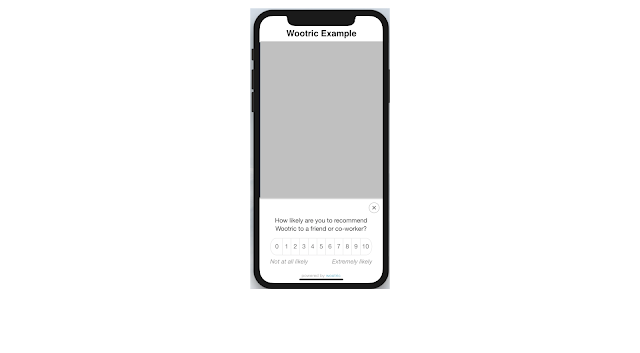
Wootric integration with ionic
There are two options to implement this -
Option 1 - Add below code after “build/main.js” Or add at the bottom of page.
<!-- start Wootric code -->
<script type="text/javascript" src="https://cdn.wootric.com/wootric-sdk.js"></script>
<!-- end Wootric code -->
Now in your TS file (Where you want to trigger wootric survey) add below code -
/* Wootric code start */
window['wootric_survey_immediately'] = true; // Comment out the line wootric_survey_immediately = true when you are ready for production. Alternatively, leave the line in the code for testing purposes or to survey the customer upon every visit to a specific page.
window['wootricSettings'] = {
email: (user.email)?user.email:'',
created_at: Math.floor(Date.now() / 1000),
account_token: "NPS-********”, // You need to update your account token here
otherData: {
city: user.city,
role: user.role
}
};
// console.log('wootricSettings:', window['wootricSettings']);
//console.log('WootricSurvey');
window['WootricSurvey'].run("wootricSettings");
/* Wootric code end */
This will trigger wootric survey on the selected page.
Note - You need to update account token on “NPS-XXXXXXXX”
Here - user.email is user email id, otherData are additional data which you want to send on wootric.
Option 2 - You can also integrate into the ionic framework with the help of javascript code. To integrate this you just need to follow below steps -
Insert below javascript code in the bottom of your index.html file
<!-- start Wootric code -->
<script type="text/javascript">
window.wootric_survey_immediately = true; // Shows survey immediately for testing purposes. TODO: Comment out for production.
window.wootricSettings = {
email: 'customerEmail@example.com', // TODO: Required to uniquely identify a user. Email is recommended but this can be any unique identifier.
//external_id: '123abc', // TODO: Reference field for external integrations only. Send it along with email. OPTIONAL
created_at: 1234567890, // TODO: Date as a 10 digit Unix timestamp in seconds. OPTIONAL
account_token: 'NPS-XXXXXXXX' // This is your unique account token.
};
</script>
<script type="text/javascript" src="https://cdn.wootric.com/wootric-sdk.js"></script>
<script type="text/javascript">
// This loads the Wootric survey
window.wootric('run');
</script>
<!-- end Wootric code -->
This will trigger wootric survey when your all launch.
You can check more about this on this URL (Reference URL) - https://engineering.wootric.com/testing-the-wootric-sdk-with-ionic-framework
If you have any questions you can post here in the comment section. Thanks, All the best.
